
When you first implemented your ERP, it probably felt like a significant step forward. Everything in one place. Inventory, orders, accounting connected and visible. The team was relieved to move away from scattered spreadsheets and into something more structured.
That feeling usually lasts about two years.
Then the business grows. New product lines get added. A second warehouse opens. You start selling through a wholesale channel alongside your retail store. A customer asks for a custom pricing tier. The ERP vendor releases an update that breaks two of your integrations. Someone creates a new spreadsheet to track the things the ERP can't.
And slowly, without anyone announcing it, your team starts working around the system instead of through it.
This isn't a failure of the ERP. It's a sign that your business has grown in ways the software wasn't designed to accommodate. Standard ERP platforms are built for the average business. The moment your business becomes meaningfully different from average in its workflows, its customer relationships, its operational complexity the gaps begin to appear.
This article is about what happens when you decide to close those gaps properly, rather than paper over them with workarounds and parallel spreadsheets. It covers what custom ERP development actually means, when it makes sense, what it delivers, and how to approach it without making the mistakes that derail most projects.
Is your business outgrowing its current ERP?
Before investing in new software or a custom build, it helps to get an honest outside perspective on where your current system is holding you back. Our team works with operations and manufacturing businesses regularly and can help you assess what you actually need no commitment required.
Book a free ERP assessment →What custom ERP development actually means
The phrase "custom ERP" gets used loosely, so it's worth being specific about what it does and doesn't mean.
Custom ERP development doesn't necessarily mean building a system from scratch. In practice, it usually refers to one of three approaches:
- Building purpose-built software designed entirely around how your specific business operates no off-the-shelf platform underneath it
- Deeply customizing an extensible platform (like nopCommerce, for example) to the point where the system reflects your workflows rather than generic ones
- Building a custom integration and workflow layer that connects your existing tools your accounting software, your warehouse system, your eCommerce store and adds logic that none of them could do individually
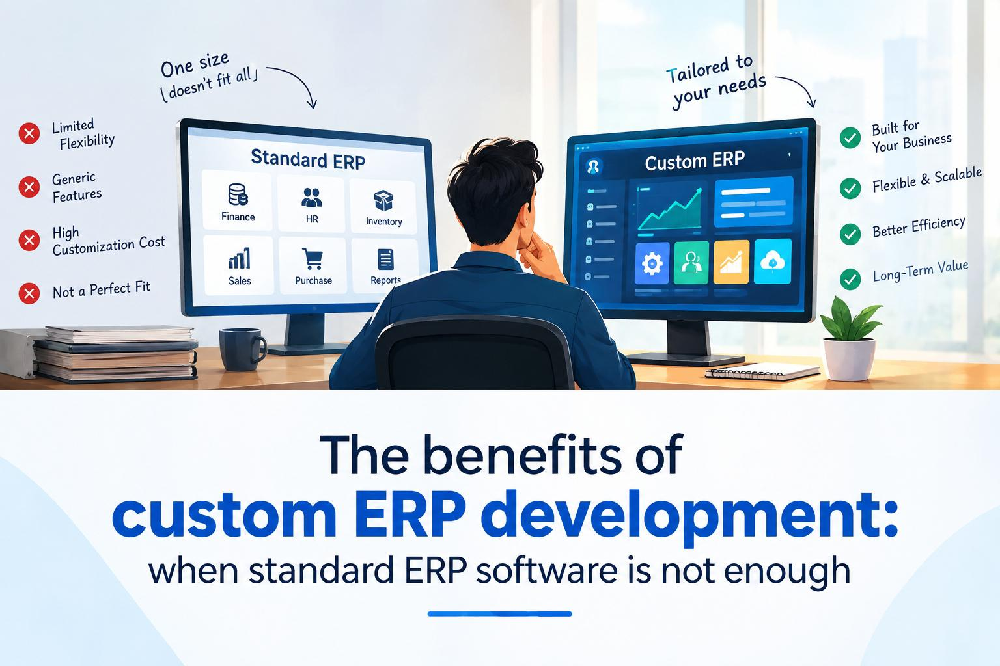
What all three approaches have in common is that the software ends up fitting the business, not the other way around. That's the core difference from standard ERP software, where the business is expected to adapt to what the software supports.
Neither approach is universally better. The right choice depends on how different your business is from what standard software assumes and how much that difference costs you in workarounds, errors, and lost efficiency every month.
When standard ERP software is genuinely enough
Before going further, it's worth being honest: a lot of businesses don't need custom ERP development. Standard software works well when:
- Your workflows are relatively conventional and don't require significant exceptions
- Your business is still in early growth stages and your operational complexity is manageable
- The standard software's limitations are minor inconveniences rather than structural problems
- Your team has adopted the system consistently and the workarounds are genuinely minimal
- The cost of your current workarounds is clearly lower than the cost of a development project
Standard ERP is a reasonable choice when it fits. The problem is that many businesses continue running standard software long after it has stopped fitting because the cost of the mismatch is diffuse and hard to calculate, while the cost of a development project feels large and immediate.
Signs your business has outgrown its ERP
The signals are usually visible long before leadership acknowledges them. Here are the most consistent ones:
- Parallel spreadsheets have become permanent. When the team maintains spreadsheets alongside the ERP to track things the ERP can't, those spreadsheets have become a shadow system. The ERP is no longer the source of truth it's one input among several.
- Workarounds have names. When team members describe their workflows using phrases like "the Tuesday workaround" or "the way we handle the wholesale orders," your processes have adapted to the software's limitations rather than the other way around.
- New hires struggle disproportionately. When onboarding consistently requires explaining not just what to do but why the system can't do it and what to do instead, the operational knowledge is compensating for software limitations.
- You're paying for integrations that are fragile. When your ERP requires expensive middleware or custom connectors to talk to your eCommerce platform, warehouse, or accounting software and those connections break regularly the integration cost and maintenance overhead is a recurring tax on your operation.
- Reporting requires manual assembly. When leadership needs reports that require someone to pull data from three systems and combine them in Excel before the numbers mean anything, your systems don't share a data model and the reporting overhead reflects that.
- The vendor's roadmap doesn't solve your problems. When the features your business actually needs aren't on the standard product roadmap or are available only in a significantly higher tier the software isn't being built for businesses like yours.
- The cost of the current situation is growing faster than the business. When the hours spent on workarounds, data reconciliation, and manual processes are increasing quarter over quarter, the operational overhead is scaling even if the software cost isn't.
"The moment your team spends more time working around the software than working through it, the software is no longer an operational asset it's an operational constraint."
Custom ERP vs. standard ERP: an honest comparison
| Criteria | Standard ERP | Custom ERP |
|---|---|---|
| Initial cost | Lower licensing model | Higher upfront development investment |
| Fit to your specific workflows | Built for average businesses adaption required | Built around exactly how you operate |
| Ongoing licensing cost | Recurring and scales with users and modules | One-time development cost no per-user fees |
| Customisation depth | Limited vendor controls what's possible | Unlimited built to your specification |
| Integration with other systems | Often requires expensive middleware and breaks | Designed to connect with your specific stack |
| Speed to implement initially | Faster pre-built and configurable | Longer requires design, development, and testing |
| Total cost of ownership (5 years) | Often higher once licensing, add-ons, and workaround costs are included | Often lower for businesses with complex needs |
| Scalability as business grows | Constrained by vendor's architecture | Evolves with the business no vendor dependency |
| Data ownership | Often locked to vendor's platform | Full ownership of data and architecture |
8 practical benefits of custom ERP development
The system fits how your business actually works
This sounds obvious but it's the foundation that makes every other benefit possible. Standard ERP software is designed around common business processes the way most companies handle purchasing, or the way most warehouses manage inventory. Your business is probably close to that model in some areas and significantly different in others.
A manufacturer who produces custom orders with variable components, lead times, and assembly steps operates very differently from the "average manufacturer" a standard ERP assumes. A distributor managing contracts with different pricing, volume commitments, and delivery schedules for each wholesale account operates very differently from the "average distributor." Custom ERP doesn't ask your team to change how they work to fit the software. It builds the software around how they already work and eliminates the translation layer your team currently carries in their heads.
Elimination of the hidden cost of workarounds
Every manual workaround in your current operation has a cost. It costs the time of the person doing it. It costs the errors that manual handling introduces. It costs the management overhead of verifying that the manual step was done correctly. And it costs the opportunity that person could have been pursuing instead.
These costs are hard to see clearly because they're distributed across multiple people's days and rarely appear as a discrete line item. But the calculation is straightforward: if five people each spend 90 minutes a day on manual processes that an integrated system would handle automatically, that's 37.5 hours a week nearly a full-time role going into work that software should be doing.
Before starting a custom ERP project, spend two weeks tracking every manual step your team takes to compensate for ERP limitations. Time each one. Add them up. That number is the most compelling ROI argument you'll have and it's usually larger than anyone expected.
A single source of truth across the entire operation
One of the most common operational problems in businesses that have outgrown their ERP is data fragmentation the same information existing in multiple places, in slightly different forms, updated at different times by different people.
The inventory team has the "real" stock count in a spreadsheet. The sales team has last month's numbers in the CRM. The accounting team has a different figure in the ERP. When management asks for a report, someone has to reconcile three different answers before anyone can trust the number.
A well-built custom ERP creates a shared data layer that all functions inventory, orders, purchasing, accounting, CRM read from and write to simultaneously. A sale in the eCommerce store immediately updates the inventory count, creates an accounting entry, triggers the warehouse pick list, and updates the customer's record in the CRM. Everyone is always working from the same current reality.
Workflows that reflect your approval and control structure
Standard ERP software has fixed ideas about how approval workflows should work. Purchase orders over a certain amount need one type of approval. Refunds need another. Vendor credit notes follow a specific process.
Your business probably has a different structure. Maybe purchase orders over $5,000 need approval from the VP of Operations, but orders from preferred vendors can bypass the second approval level. Maybe certain product categories need quality sign-off before dispatch even if the order amount is small. Maybe your franchise locations have different purchasing authorities than your company-owned locations.
Custom ERP builds these controls exactly as you need them not as a generic ERP vendor imagined a typical business might need them. The result is a system that enforces your actual governance structure rather than one you've had to approximate within someone else's framework.
Reporting that answers the questions your business actually asks
Reporting in standard ERP software is built around the questions standard ERP vendors assume you'll ask. Those questions are often reasonable but rarely precise enough for a specific business's decision-making needs.
A business running multiple warehouse locations across the US and Canada doesn't just want to know total inventory they want to know which location has excess stock, which location is at risk of stockout, and which items could be transferred rather than reordered. A manufacturer wants to see production throughput by shift and by machine, not just by product category. A distributor wants to see margin by customer and by channel, not just total revenue.
Custom ERP builds the reporting layer around your specific decision-making needs. The dashboards that leadership sees every morning reflect what matters to your operation not a generic set of metrics that require interpretation to be useful.
Reporting is often where the real value of a custom ERP becomes most visible to leadership because it's the layer they interact with most directly. Define the 10 most important operational decisions your leadership makes each week. Then ask whether your current ERP gives you the data to make those decisions confidently. The gap between the answer you need and the answer you currently get is a useful way to scope the reporting requirements for a custom build.
Integration with your specific technology stack
Most businesses don't run a single system. They run an eCommerce platform, an accounting system, a warehouse management tool, a CRM, a logistics API, and possibly several others. Standard ERP software promises to connect these but often delivers connectivity that requires expensive middleware, breaks periodically, and syncs on a schedule rather than in real time.
Custom ERP is built from the start with your specific integrations in mind. The eCommerce store, the Tally or QuickBooks connection, the warehouse system, the 3PL API these aren't afterthoughts plugged in through middleware. They're first-class components of the same system, sharing the same data model and communicating in real time. When an order is placed, everything downstream knows about it immediately because the integration was designed as part of the architecture, not bolted on after the fact.
The system grows with your business without forcing a migration
One of the more frustrating experiences in business software is outgrowing a system you worked hard to implement. The migration cost, the data conversion, the retraining, the temporary loss of historical data visibility it's a significant disruption that most businesses go through at least twice as they scale.
Custom ERP is built on an architecture you own. When you add a new warehouse location, a new product line, a new sales channel, or a new business entity the system can be extended to accommodate it without replacing it. New modules are added to the existing system rather than requiring a platform change. Your historical data stays accessible. The institutional knowledge embedded in the system stays intact.
A long-term reduction in operational complexity not just software cost
This benefit is harder to quantify in advance but often ends up being the most significant one. When your systems accurately reflect how your business works, the cognitive load on your team decreases. Decisions are made from better data. Fewer exceptions have to be escalated to managers who are already stretched. New employees onboard faster because the system makes sense.
The operational complexity of a growing business is inevitable in some respects. Custom ERP doesn't eliminate complexity it absorbs it into the system rather than leaving it for people to manage manually. That shift from complexity managed by people to complexity managed by software is what allows businesses to scale without proportionally scaling headcount.
What businesses typically customise and why
The areas where custom ERP development most commonly happens align closely with where standard software is most likely to fail complex operations:
Inventory and stock management
Multi-location inventory with transfer logic, lot and serial number tracking, expiry date management for perishables, size-color-variant matrices for apparel, and reorder automation based on custom thresholds these are all areas where standard inventory modules hit their limits quickly for businesses that operate at meaningful complexity.
Order management and fulfilment
Custom order routing logic (send orders to the nearest warehouse with available stock), split shipments, backorder management, subscription order automation, B2B wholesale order approval workflows, and custom pricing tiers by customer type or volume. Standard order management handles straightforward retail well. The complexity starts when you have multiple order types and routing rules.
Warehouse operations
Custom pick-pack-ship workflows, bin location tracking, barcode scanning integration, put-away logic, receiving workflows that match purchase orders, and shipping label automation connected to your specific carrier APIs. Warehouse operations are highly specific to your physical setup and standard modules rarely reflect it precisely.
Purchasing and vendor management
Automated purchase order generation at custom reorder thresholds, vendor performance tracking, multi-currency purchasing, blanket purchase order management, and approval workflows that match your actual authorization structure. Purchasing in businesses with complex supply chains quickly outgrows what standard purchasing modules handle well.
Accounting and financial reporting
Custom cost of goods sold calculations for manufacturers, inter-company transaction management for multi-entity businesses, revenue recognition logic for subscription or milestone-based contracts, project-based accounting for service businesses, and integration with specific regional tax requirements for businesses operating across US states and Canadian provinces.
CRM and customer management
Custom customer segmentation based on purchase behaviour, account hierarchy management for wholesale accounts with multiple ship-to locations, custom pricing rules by customer, and integration with email marketing platforms that trigger based on specific order events.
Multi-location and multi-entity management
For businesses operating across multiple locations or multiple legal entities, standard ERP software often requires either separate instances (creating data fragmentation) or a configuration that doesn't reflect the actual organizational structure. Custom ERP can mirror your actual entity hierarchy while maintaining consolidated reporting across all of them.
Lean Products: custom eCommerce and ERP integration for lean manufacturing operations
Lean Products, a manufacturing and wholesale business, had reached the point where their standard ERP and eCommerce platform were operating as completely disconnected systems. Customer data, order management, and large inventory tracking all required manual synchronisation between systems a process consuming significant team time and introducing errors that reached customers. Standard software couldn't accommodate the complexity of their manufacturing workflow alongside the volume and variety of their wholesale order management.
The project involved building a purpose-fitted eCommerce and operations platform with direct ERP integration connecting customer and order management, large product inventory tracking, and production operations into a unified system. The result eliminated the manual data synchronisation that had been consuming the team's time, gave operations leadership a single accurate view of the business, and created a platform that could scale with the business without requiring another migration.
Read the full Lean Products case study →Common mistakes businesses make when planning custom ERP development
Most custom ERP projects that go over budget, over time, or under-deliver do so for predictable reasons. These are the most consistent ones:
- Scoping everything at once. The instinct when planning a system that will replace years of accumulated workarounds is to fix everything in one project. This makes the scope enormous, the timeline long, the risk high, and the feedback loop slow. Phased delivery starting with the highest-impact areas and building outward consistently outperforms big-bang approaches.
- Documenting the current process rather than the desired process. A custom ERP built to automate your current workflows including all their workarounds and inefficiencies just makes the workarounds faster. The requirements phase should define how the business should operate, not just how it currently operates.
- Underestimating data migration complexity. Moving years of operational data from an old system to a new one is almost always more complex than expected. Data quality issues, format inconsistencies, and missing historical records are the norm, not the exception. Budgeting proper time and resources for data migration is not optional.
- No clear owner on the business side. Custom ERP projects that don't have a dedicated internal owner someone with authority to make decisions, resolve conflicting requirements, and drive adoption consistently struggle. The development team can build what's specified, but they can't substitute for business-side leadership.
- Skipping user acceptance testing with real users. A system that passes developer testing but hasn't been tested by the people who will actually use it every day will have usability problems that didn't show up in technical testing. Structured UAT with real end users before go-live is not a nice-to-have.
- Treating go-live as the end of the project. A custom ERP is not a project that finishes at go-live. The first 90 days after deployment typically surface a significant list of refinements and edge cases that real-world use reveals. Planning for a post-launch support and iteration phase is essential, not optional.
How to plan a custom ERP project that actually delivers
Document your current operational reality honestly
Before evaluating any technology, map your current workflows including every workaround, manual step, and compensating process. This becomes both your requirements baseline and your ROI case for the investment.
Define the desired future state, not just the current pain
What should the workflow look like after the system is in place? What decisions should be automated? What should people no longer have to do manually? This becomes the specification the development team builds to.
Prioritise by business impact, not by ease
Rank your requirements by how much they cost the business currently in time, errors, and opportunity. Start the development with the highest-impact areas. Resist the urge to start with the easiest ones just to show early progress.
Choose a development partner with domain experience
A development team that has built ERP-adjacent systems for businesses like yours will ask better questions, surface requirements you hadn't thought of, and anticipate integration complexity that a generalist team won't see until it's a problem. Industry experience in your sector matters more than technical credentials alone.
Plan delivery in phases with clear milestones
Break the project into phases that each deliver usable, measurable value not just components of a larger system that only works when everything is complete. Phased delivery lets you validate assumptions, catch scope issues early, and maintain momentum across what will be a multi-month project.
Assign a dedicated internal project owner
Give one person on your team the authority and the time to own this project to make decisions, escalate conflicts, coordinate between departments, and drive adoption. Without this role filled, decisions get delayed and requirements get inconsistent.
Plan for data migration from the start, not the end
Audit your current data quality early. Identify what needs to be migrated, what can be archived rather than moved, and what will need cleaning before it moves. Data migration that starts at the end of a development project consistently creates delays and go-live problems.
Budget for post-launch support and iteration
Real-world use will surface requirements that testing didn't catch. Plan a dedicated post-launch period with development capacity available to address them. This isn't a contingency for failure it's an acknowledgment that complex systems used by real people in real operations will always produce a refinement list after go-live.
Standard ERP software gets businesses a long way. It provides structure, centralizes data, and replaces the chaos of entirely manual operations. For most businesses in their early and middle growth stages, it's the right tool.
But businesses are not static. They add complexity new channels, new locations, new customer types, new workflows at a rate that generic software cannot always follow. And when the gap between what the software does and what the business needs becomes wide enough, the cost of that gap in staff time, errors, management overhead, and missed decisions starts to exceed the cost of fixing it properly.
Custom ERP development is not the answer to every ERP problem. But for businesses that have genuinely outgrown their current systems, it's often the decision that removes the ceiling on operational scaling.
The businesses that get the most from a custom ERP build are the ones that approach it with honest requirements, a realistic timeline, a phased delivery plan, and the organizational commitment to see it through. The result a system that fits the business rather than a business that fits the system is the kind of operational advantage that compounds quietly over years and becomes very difficult for competitors to replicate.
Thinking about custom ERP for your business?
Satyanam Info Solution has built custom ERP integrations and purpose-fitted eCommerce and operations platforms for apparel manufacturers, wholesale distributors, lean manufacturing businesses, and multi-location retail operations across the USA and Canada. If you're at the stage where you're considering a custom build, a conversation about your specific situation is often more useful than a demo. We're happy to have that conversation without an agenda.
Talk to our team →Frequently asked questions about custom ERP development