
Monday morning. Your team opens Tally and the weekend's orders aren't there yet. Someone opens a spreadsheet, pulls the order export from nopCommerce, and starts typing.
An hour later, the numbers are in. Some of them are wrong a quantity was misread, a product code was entered incorrectly. The warehouse ships based on those numbers. A customer gets the wrong item.
That cycle export, type, hope nothing breaks is what manual data entry between disconnected systems looks like in practice. And it's happening in far more eCommerce businesses than anyone likes to admit, because connecting your store to your ERP and CRM properly feels like a complicated project that never quite makes it to the top of the priority list.
The good news is that nopCommerce was designed specifically to make this integration straightforward. Not easy in the sense of no work required but straightforward in the sense of the platform has what you need to connect it properly, without hacking things together or paying for expensive middleware that adds another layer of fragility.
Here's how it actually works.
Still syncing your store and ERP manually?
We'll show you exactly what a proper nopCommerce integration looks like for your systems Tally, SAP, Zoho, or a custom ERP and what it would mean for your team's time and your data accuracy. Free consultation, no commitment.
Book a free integration consultation →The real cost of disconnected systems
Most businesses underestimate this cost because it's diffuse. It's spread across a dozen small tasks the morning re-entry, the afternoon stock check, the Friday reconciliation each one looking small on its own.
Add them up and you typically find a full-time employee's worth of hours going into work that software should be doing automatically. And that's before you count the cost of the mistakes: the oversold products, the incorrect invoices, the customer who ordered something that turned out to be out of stock despite what the website said.
Disconnected nopCommerce + ERP + CRM
- Orders exported manually and re-entered into Tally each day
- Inventory updated from a spreadsheet always slightly behind
- Customer data lives in three places, none of them current
- Mistakes discovered after shipping, not before
- Your team manages the systems instead of the business
Integrated nopCommerce ecosystem
- Orders flow into Tally the moment they're placed automatically
- Stock levels update in real time what the site shows is what exists
- Customer record in Zoho CRM updates on every purchase
- Klaviyo triggers post-purchase sequences without manual setup
- Your team manages the business. The systems talk to each other.
How nopCommerce connects to your ERP and CRM the technical reality
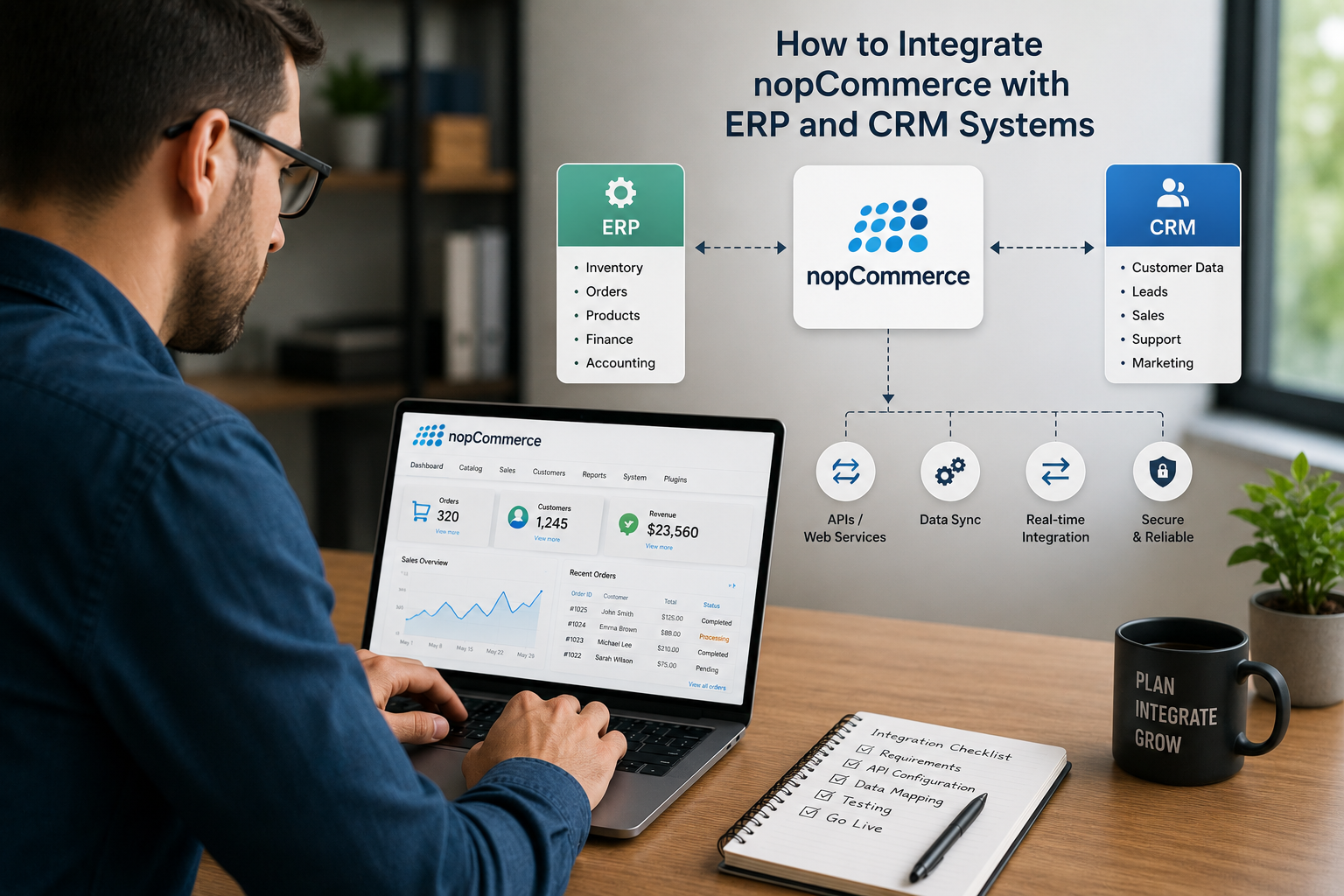
nopCommerce is built on ASP.NET Core and exposes a well-documented REST API. That API is what makes integration with external systems possible and the quality of the integration depends almost entirely on which approach you use to connect them.
The distinction matters because for inventory and order data, a 15-minute delay is often a 15-minute window for an oversell. A customer orders the last unit. The stock hasn't synced yet from the last sale. A second customer orders the same unit. You now have two orders for one item. That's a support ticket, a refund, and a customer who may not come back.
Real-time API integration where nopCommerce fires a webhook the moment an order is placed, and the ERP processes it within seconds eliminates that window entirely.
ERP integration what connects and how
Tally integration the most common for Indian apparel and manufacturing brands
Tally ERP 9 and TallyPrime expose a local XML API that nopCommerce can connect to through a custom integration layer. Orders placed on the store create purchase entries in Tally automatically, with product codes, quantities, tax calculations, and customer details mapped correctly. In the other direction, stock updates from Tally when goods are received from suppliers push back into nopCommerce and update product availability. One Satyanam client eliminated 40 hours per week of manual reconciliation with this integration alone. Their team went from spending Monday mornings entering weekend orders into Tally, to finding it already done when they arrived. The accounting ERP integration for nopCommerce is one of our most frequently requested services.
SAP and Zoho ERP for brands with more complex operational structures
SAP Business One and Zoho Inventory both offer well-documented REST APIs that integrate cleanly with nopCommerce's API. For brands managing multiple warehouses, inter-company transfers, or manufacturing production runs alongside their eCommerce orders, these systems handle the complexity that Tally cannot. The integration architecture is the same events in nopCommerce trigger webhooks that the ERP processes in real time but the data mapping is more complex and requires careful handling of multi-location stock, assembly items, and production BOMs. Satyanam's fashion manufacturing ERP integration service covers exactly this level of complexity.
CRM integration turning order data into customer relationships
Your ERP handles the operational side of an order. Your CRM handles the relationship side. And the two need to work from the same customer record, or you end up with a finance team who knows what a customer bought and a sales team who doesn't.
Zoho CRM and HubSpot customer data that actually stays current
When a customer places an order in nopCommerce, their record in Zoho CRM or HubSpot updates automatically purchase date, product categories bought, order value, lifetime spend. This turns your CRM from a contact list into a real customer intelligence tool. Sales teams can see which wholesale accounts haven't ordered in 60 days and proactively reach out. Customer success can see which accounts are growing in order value and prioritise them for relationship calls. None of this is possible when CRM data is updated manually or imported monthly. The integration layer that Satyanam builds connects nopCommerce's order and customer events directly to CRM contact and deal records in real time.
Klaviyo turning purchase behaviour into automated marketing
Klaviyo is the most commonly used email marketing platform for eCommerce, and its nopCommerce integration is worth building properly. When connected through the API rather than a basic plugin, every order event in nopCommerce first purchase, second purchase, product category bought, order value, days since last order becomes a trigger in Klaviyo. First purchase flows welcome new customers and introduce the brand. Repeat purchase triggers unlock loyalty rewards. Win-back flows fire when a previously active customer goes 90 days without ordering. All of this runs automatically once the integration is built, and the revenue it generates compounds every month without additional setup. Our email marketing team works alongside the technical integration to make sure the flows are built correctly alongside the connection.
What integration delivered for one apparel brand
An apparel manufacturer running nopCommerce came to Satyanam managing their business across three completely disconnected systems the store, Tally, and a manually updated inventory spreadsheet. Orders were re-entered into Tally daily. Stock was updated from the spreadsheet twice a week. The gap between what the website showed and what the warehouse actually had was causing regular oversells and support issues.
| System | Before integration | After integration |
|---|---|---|
| Order to Tally | Manual daily re-entry - 40hrs/week | Automatic on order placement zero staff time |
| Inventory accuracy | Updated twice weekly from spreadsheet | Real-time bidirectional sync with warehouse |
| Customer data in CRM | Monthly CSV import, always out of date | Updated on every order always current |
| Klaviyo post-purchase flows | Manually triggered, inconsistent | Automated on order events fires every time |
| Support tickets (stock issues) | Regular oversells and stock queries | Down 44% once inventory showed real availability |
What the integration actually recovered
- 40 hours per week of staff time returned to higher-value work equivalent to a full-time employee
- Oversells eliminated because the store always reflected real warehouse stock
- CRM data current enough to be actually useful for the sales and customer success teams
- Klaviyo post-purchase sequence now fires on every first order consistently, without anyone manually triggering it
Northern Souvenirs: syncing ERP, inventory, and orders to power custom apparel at scale
Northern Souvenirs, a leading manufacturer and supplier of promotional apparel across Canada, needed more than a storefront they needed their eCommerce platform, ERP, and production floor to speak the same language. Orders came with complex customization requirements (print and embroidery designs, sizes, quantities, colorways), and without a synced ERP connection, inventory and order data was prone to mismatch and manual rework. Satyanam integrated the platform directly with their ERP to sync products, inventory, and orders in real time, then layered on user-friendly selection wizards, predefined ordering programs, print-screen and embroidery production management, reorder tools, and detailed reporting. The result was a platform where customer-facing customization and back-end production stayed perfectly in step.
Read the full Northern case study →
Want a properly integrated nopCommerce store?
Satyanam builds nopCommerce integrations with Tally, SAP, Zoho, HubSpot, Klaviyo, and custom systems real-time, bidirectional, and built to handle your specific data structure. Let's look at what you need.
Book a free integration consultation →Three questions to ask before starting an integration project
Does your ERP or CRM have a documented API?
Tally, SAP Business One, Zoho, HubSpot, and Klaviyo all have well-documented APIs that make clean integrations possible. Older or heavily customised ERP systems sometimes don't and those require more discovery work upfront to understand what data is accessible and how. Ask your ERP vendor for their API documentation before starting the integration scoping.
Which data needs to flow in which direction?
Most integrations are bidirectional but not symmetrical. Orders typically flow from nopCommerce into the ERP. Inventory typically flows from the ERP or warehouse back into nopCommerce. Customer data flows into the CRM. Knowing which direction each data type needs to flow and how often shapes the architecture of the integration significantly.
What happens when the integration fails?
Every integration will experience downtime at some point the ERP server goes offline, the API rate limit is hit, a data format changes. A properly built integration includes error handling, retry logic, dead letter queues for failed records, and alerting so your team knows about failures before they cause customer-facing problems. Ask your integration partner specifically how they handle failure scenarios not just how they handle the happy path.
Also read: : How to build a custom nopCommerce API gateway →
Manual data entry between your store, your ERP, and your CRM is not a small inefficiency. It's a compounding problem hours lost every week, errors that accumulate, customer trust eroded each time something ships wrong or shows as available when it isn't.
nopCommerce gives you the API surface to fix all of that properly. Not with a plugin that syncs every 15 minutes and breaks when volume spikes, but with a real-time, event-driven integration that means your systems always agree because they're talking to each other continuously, not periodically.
The integration project is a one-time investment. The time, accuracy, and customer experience improvements that follow are permanent.
Get a free nopCommerce integration consultation
Tell us what systems you're currently running alongside nopCommerce Tally, SAP, Zoho, HubSpot, Klaviyo, or something custom and we'll map out exactly what a proper integration looks like for your operation. 500+ clients, 15+ years, 100% Job Success on Upwork. No cost, no obligation.
Book your free consultation →Frequently asked questions